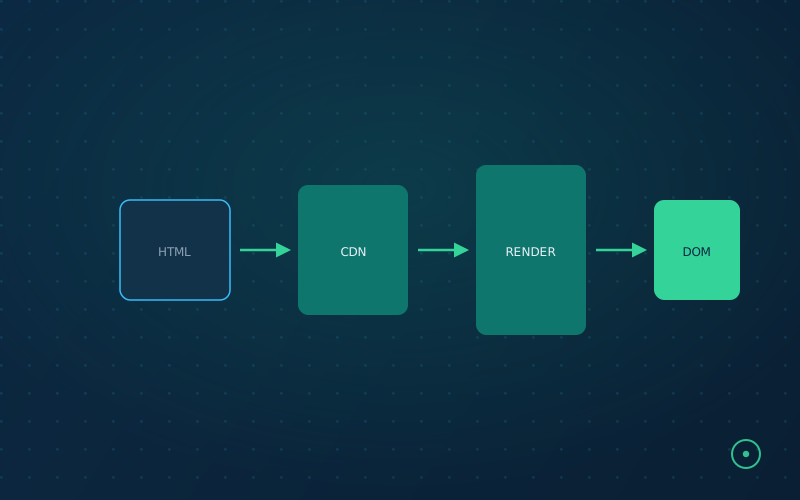
"Does Google render JavaScript" is a settled question. What actually determines your visibility is what your specific stack, hydration pattern, and CDN configuration deliver to a crawler with a limited rendering budget.
"Does Google render JavaScript?" gets asked and answered so often that it's become a settled, slightly useless question — yes, Googlebot renders JS, using an evergreen Chromium engine since Google's 2019 announcement, and has for years. What that answer skips over is everything that actually determines whether rendering goes well in practice: how your specific framework and build setup shape what's in the DOM before and after hydration, what a crawler with a rendering budget actually waits for, and how CDN and caching decisions compound the problem or hide it. That's the part worth engineering attention, and it's the part most SEO content doesn't get into.
Rendering Modes, and What a Crawler Actually Sees at Each Stage
The practical distinction isn't "does the site use JavaScript" — nearly everything does — it's when meaningful content becomes present in the DOM relative to when a crawler stops waiting and captures what it has.
- Server-side rendered (SSR) or static-generated pages deliver a substantially complete DOM in the initial HTML response. A crawler gets the real content on first fetch, before any client-side JavaScript has to execute at all. This is the least fragile case.
- Client-side rendered (CSR) pages deliver a near-empty shell in the initial response and depend entirely on JavaScript execution to populate content. Content is present eventually — but only after the crawler's rendering pass executes your bundle, and that execution has to complete within whatever time and resource budget the crawler allocates. Anything that fails, times out, or throws inside that window is content the crawler never sees.
- Hybrid patterns (server-rendered shell, client-hydrated for interactivity) sit between the two, and the details of what's server-rendered versus client-only vary enough by framework and by how a given team configured it that it has to be checked per-site rather than assumed from the framework name alone.
The failure mode that actually costs sites visibility isn't "we use React, therefore we're invisible to Google" — that blanket claim is outdated and not true of modern rendering. It's specific, silent breakages inside a CSR or hybrid setup: a data fetch that depends on a cookie or auth state the crawler doesn't have, a client-side redirect that fires before content renders, a component that only mounts on a scroll or interaction event a crawler never triggers. Each of these produces a page that looks fine to a human visitor and renders as empty or partial to a crawler, with no error message pointing at the cause.
Why the Underlying Stack Still Matters, Even Post-Evergreen-Rendering
Given that modern crawlers do execute JavaScript, it's tempting to conclude the framework choice is now SEO-irrelevant. It isn't — it just matters for different reasons than it used to. Bundle size and hydration cost directly affect how long a page takes to reach a state a crawler would consider "settled," and a rendering pass that has to wait longer is a rendering pass more likely to hit whatever budget the crawler allocates before capturing the page. Framework defaults around code-splitting, lazy-loading, and what renders server-side versus client-side vary meaningfully between stacks and between how a given team has configured them — two sites on the same framework can behave completely differently here depending on build configuration. This is why a tech-stack detection pass is diagnostically useful even in 2026: not to declare a framework good or bad in the abstract, but to flag configurations known to produce heavy hydration cost or render-blocking patterns worth checking directly.
Where CDN and Caching Configuration Enters the Same Problem
Rendering cost and delivery cost compound rather than staying separate. A page that's architecturally fine but served without proper compression, without cache headers that let a CDN actually cache it, or from an origin with slow time-to-first-byte adds latency in front of whatever rendering delay already exists — and a crawler's total time budget for a page covers the whole trip, not just script execution. A misconfigured Cache-Control header or a CDN that's silently not caching HTML the way you assumed doesn't throw an error anywhere visible; it just quietly makes every fetch slower, which shows up as reduced crawl efficiency at scale the same way the outright outages in our piece on downtime and crawl behavior do, just as a chronic drag rather than an acute event. It's also directly upstream of Core Web Vitals — see our Core Web Vitals guide for the field-data side of this same delivery chain.
To check where a specific page currently stands, run it through the INP & Core Web Vitals Checker for both field and lab data side by side.
To check where a specific page currently stands, run it through the Core Web Vitals & INP Checker for both field and lab data side by side.
How to Actually Check What's Being Delivered
The reliable way to know what a crawler receives is to look at the response the way a crawler would, not the way a browser renders it for you with every optimization your own dev tools apply invisibly. That means checking the raw, pre-hydration HTML response directly (not the DOM after your browser's JavaScript has already run), and separately checking what the page looks like with client-side JavaScript disabled entirely, since some AI crawlers are considerably less capable at JS execution than Googlebot and will only ever see that no-JS state. Our AI Raw HTML Viewer is built for exactly this — it shows you what a page contains when JavaScript execution is off, which is the actual worst case you need to be checking against, not a hypothetical.
Combine that with SearchVitals' architecture checks — tech stack detection, JS rendering behavior, CDN and cache/compression configuration, all run as part of a standard audit — and the diagnostic loop closes: know what's actually being delivered, know which specific configuration choice is responsible, fix that instead of guessing.